Title: [2k3] Screen Resolution
Post by: Mayul on September 12, 2010, 03:57:00 PM
Post by: Mayul on September 12, 2010, 03:57:00 PM
Is it possible to change the full screen resolution of RPG Maker 2003?
The screen is stretched and doesn't display properly when played full screen.
The screen is stretched and doesn't display properly when played full screen.
Title: Re: [2k3] Screen Resolution
Post by: Cherry on October 30, 2010, 10:05:13 PM
Post by: Cherry on October 30, 2010, 10:05:13 PM
To start a game in windowed mode, create a shortcut to RPG_RT.exe and add the following parameters:
NormalPlay ShowTitle Window
I also wrote a tool which stretches the game to fullscreen without changing the resolution, it also allows you to apply a filter (Scale2x or hq2x) for better graphics.
http://cherrytree.at/downloads/afm.rar (http://"http://cherrytree.at/downloads/afm.rar")
Example screen with hq2x (in windowed mode):
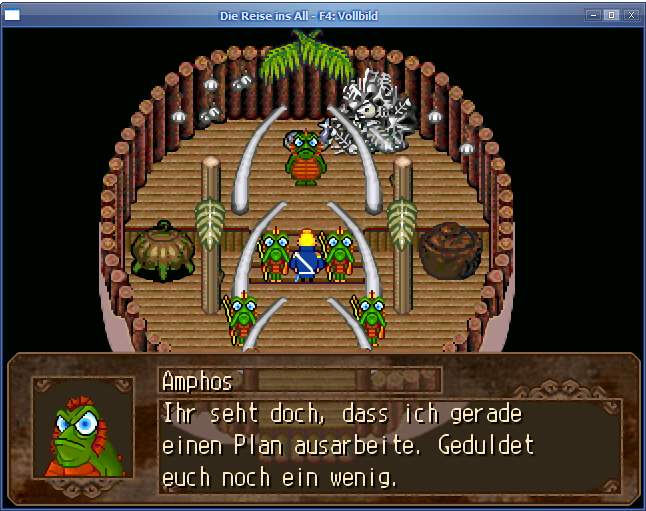
NormalPlay ShowTitle Window
I also wrote a tool which stretches the game to fullscreen without changing the resolution, it also allows you to apply a filter (Scale2x or hq2x) for better graphics.
http://cherrytree.at/downloads/afm.rar (http://"http://cherrytree.at/downloads/afm.rar")
Quote from: readme.txtThis is a little tool which lets you play RPG Maker 2000/2003 games in fullscreen - without changing the resolution. This is a workaround for people who have problems with their screen or their graphics driver. AnotherFullscreenMode needs at least a 1 GHz CPU to run without lagging.
First, start your game (in windowed mode). Then start AnotherFullscreenMode. By pressing F6 you can switch between fullscreen and windowed mode, F7 shows or hides the FPS.
Using F8, you can set the filter: none -> Scale2x -> hq2x
Example screen with hq2x (in windowed mode):